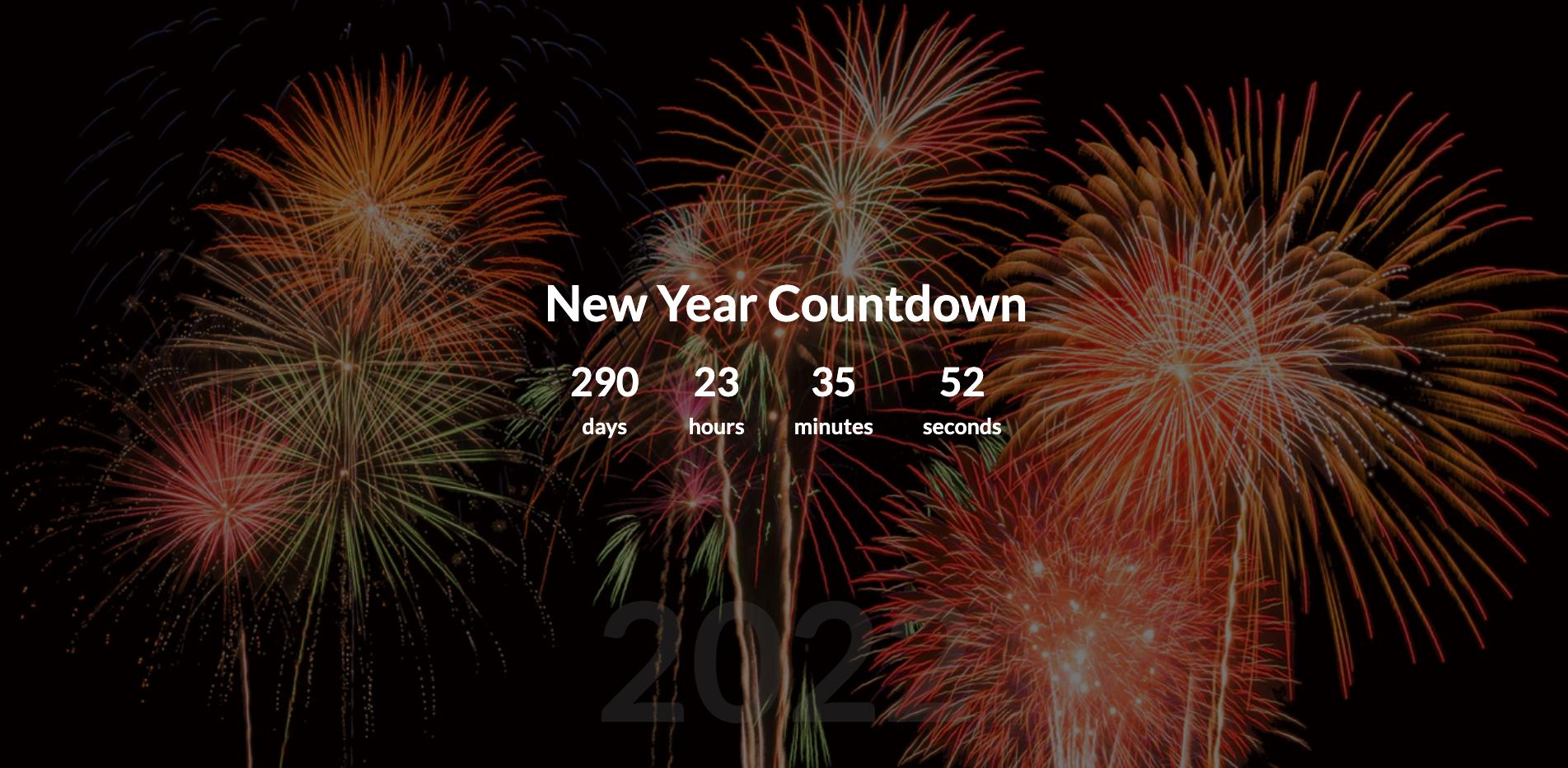
(Project) New Year Countdown
學習到的知識點
HTML
CSS
overflow: hidden;滑動捲軸隱藏Media Query瀏覽器客製化
JS
Date物件setInterval()
簡介
新年倒數計時器
HTML
結構
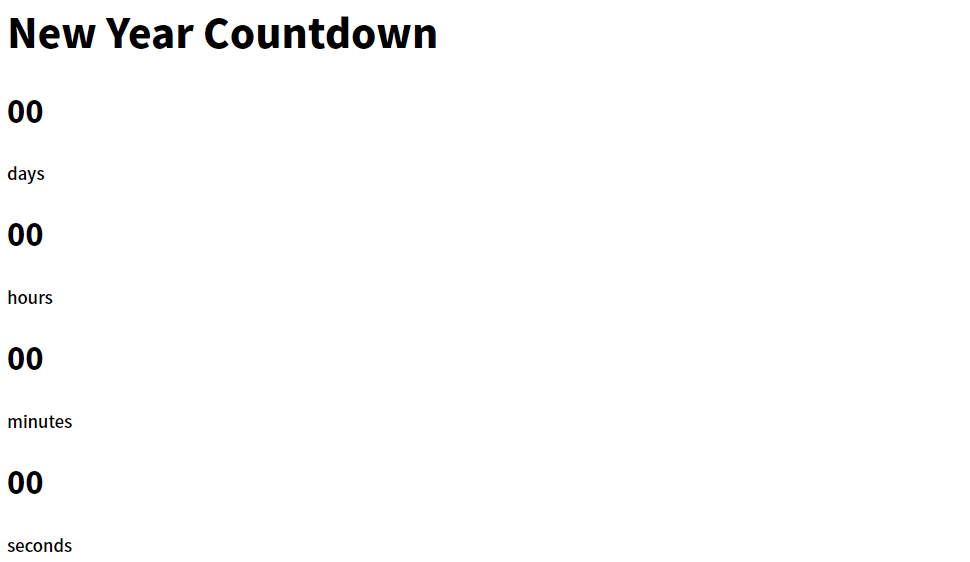
 <div id="year" class="year"></div>

    <h1>New Year Countdown</h1>

    <div id="countdown" class="countdown">
      <div class="time">
        <h2 id="days">00</h2>
        <small>days</small>
      </div>
      <div class="time">
        <h2 id="hours">00</h2>
        <small>hours</small>
      </div>
      <div class="time">
        <h2 id="minutes">00</h2>
        <small>minutes</small>
      </div>
      <div class="time">
        <h2 id="seconds">00</h2>
        <small>seconds</small>
      </div>
    </div>

<!-- Loading section -->
    <!-- <img src="./img/spinner.gif" alt="loading..." id="loading" /> -->
CSS
起手式
@import url('https://fonts.googleapis.com/css2?family=Lato:wght@700&display=swap');
* {
    box-sizing: border-box;
}
body {
    height: 100vh;
    font-family: 'Lato', sans-serif;
    text-align: center;
    margin: 0;
}
元素置中
body {
    display: flex;
    flex-direction: column;
    align-items: center;
    justify-content: center;
    text-align: center;
}
圖片滿版化&取消滑動卷軸
body {
    background-image: url('https://images.unsplash.com/photo-1569983207103-78d3b4dddcac?ixid=MXwxMjA3fDB8MHxwaG90by1wYWdlfHx8fGVufDB8fHw%3D&ixlib=rb-1.2.1&auto=format&fit=crop&w=1350&q=80');
    background-repeat: no-repeat;
    background-size: cover;
    background-position: center center;
    overflow:hidden;
}
背景上疊一層陰影
使用偽元素,再使用絕對定位,寬高撐滿視窗(100%)。
/* Add a dark overlay */
body::after {
  content: "";
  position: absolute;
  top: 0;
  left: 0;
  width: 100%;
  height: 100%;
  background-color: rgba(0, 0, 0, 0.5);
}
修改元素的大小 scale()
.countdown {
  /* display: flex; */ /* 出現 */
  display: none;

/* 2 也就是兩倍   */
  transform: scale(2);
}
Media Query 瀏覽器自適應化
針對你的裝置,給你不同的樣式設定。
@media (max-width: 500px) {
  h1 {
    font-size: 45px;
  }

  .time {
    margin: 5px;
  }

  .time h2 {
    font-size: 12px;
    margin: 0;
  }

  .time small {
    font-size: 10px;
  }
}
大標題年份半透明效果
z-index順序往後排,排在遮罩後方,製造更強的透明效果opacity圖片透明度
<!-- 新增上 2021 -->
    <div id="year" class="year">2021</div>
.year {
    font-size: 200px;
    z-index: -1;
    opacity: 0.2;
    position: absolute;
    bottom: 20px;
    left: 50%;
    transform: translateX(-50%);
}
JS
宣告變數
JS
const days = document.getElementById("day");
const hours = document.getElementById("hours");
const minutes = document.getElementById("minutes");
const seconds = document.getElementById("seconds");
const countdown = document.getElementById("countdown");

// 取得這一年的時間(2021)
const currentYear = new Date().getFullYear();
// 2021+1=2022,得到新的一年的時間
const newYearTime = new Date(`January 01 ${currentYear + 1} 00:00:00`);
jQuery
$("#days")
$("#hours")
$("#minutes")
$("#seconds")
$("#countdown")
製作倒數面板
JS
- 原生 JS 的
Date()物件,可以用來做跟日期和時間相關的操作。 setInterval()是固定延遲了某段時間之後,才去執行對應的程式碼,然後「不斷循環」。- 以取的分鐘來說, diff 為總毫秒,所以須先除 1000,得到總秒數,:arrow_right: 再除以 60 得到分鐘數,:arrow_right: 再除與 60 後的餘數,就會是小時的剩下分鐘數。
Math.floor()函式 : 小數無條件捨去到比自身小的最大整數。
function updateCountdown() {
  const currentTime = new Date();
  // 時間差
  const diff = newYearTime - currentTime;

  //得到的值是毫秒,所以需要除以1000,變成秒。
  const d = Math.floor(diff / 1000 / 60 / 60 / 24);
  const h = Math.floor(diff / 1000 / 60 / 60) % 24;
  const m = Math.floor(diff / 1000 / 60) % 60;
  const s = Math.floor(diff / 1000) % 60;

  // 將取得的時間,更新到HTML上
  days.innerHTML = d;

  // 如果不是十位數,就在前面加個0,使用三元運算子判斷。
  hours.innerHTML = h < 10 ? "0" + h : h;
  minutes.innerHTML = m < 10 ? "0" + m : m;
  seconds.innerHTML = s < 10 ? "0" + s : s;
}

// 每1000毫秒(1秒)更新一次
setInterval(updateCountdown, 1000);
jQuery
hours.innerHTML =轉成.text()
const currentYear = new Date().getFullYear();

const newYearTime = new Date(`January 01 ${currentYear + 1} 00:00:00`);

function updateCountdown() {
  const currentTime = new Date();
  const diff = newYearTime - currentTime;

  const d = Math.floor(diff / 1000 / 60 / 60 / 24);
  const h = Math.floor(diff / 1000 / 60 / 60) % 24;
  const m = Math.floor(diff / 1000 / 60) % 60;
  const s = Math.floor(diff / 1000) % 60;
  $("#days").text(d);
  $("#hours").text(h < 10 ? "0" + h : h);
  $("#minutes").text(m < 10 ? "0" + m : m);
  $("#seconds").text(s < 10 ? "0" + s : s);
}

setInterval(updateCountdown, 1000);
動態產生年分與 Loading Gif
- 倒數的面板,由 JS 動態控制 CSS。
.countdown {
  /* display: flex; */
  display: none;
  transform: scale(2);
}
JS
- 呈現 Loading 圖案時,將顯示的時間隱藏(none)起來,:arrow_right: 跑完 Loading 圖後,才顯示 (display:flex)。
- 顯示的 year 為明年,所以需要 +1
- 一秒過後,將 Loading Gif 去除,然後顯示倒數面板。
const year = document.getElementById("year");
const loading = document.getElementById("loading");

// Set background year
year.innerText = currentYear + 1;

setTimeout(() => {
  loading.remove();
  countdown.style.display = "flex";
}, 1000);
jQuery
.remove()為一樣寫法。.style.display = "flex"轉成.css("display", "flex")
:star: jQuery 另外一種寫法為
.removeClass,這是需要移除 class 才用到的方法,在這邊為移除掉 img,所以使用.remove()此寫法。
$("#year").text(currentYear + 1);

setTimeout(() => {
  $("#loading").remove();
  $("#countdown").css("display", "flex");
}, 1000);
參考文章
Comments
Join the discussionNo comments yet. Be the first to comment.

